
My Fish Shop! - Seafood Tycoon
Supercent, Inc.Arcade
4.1157.00 Reviews
- Version
- 6.2.0
- Installs
- 1.00M
- Age Rating
- Everyone
Screenshots


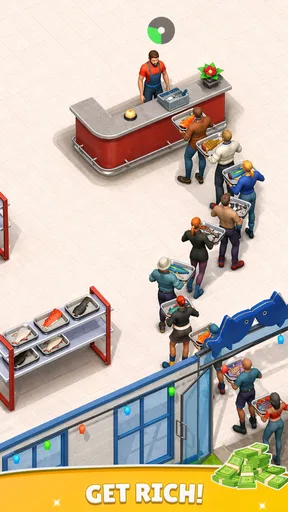
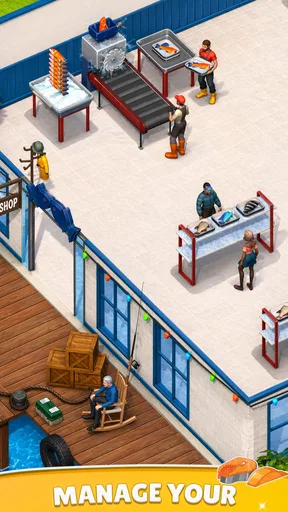



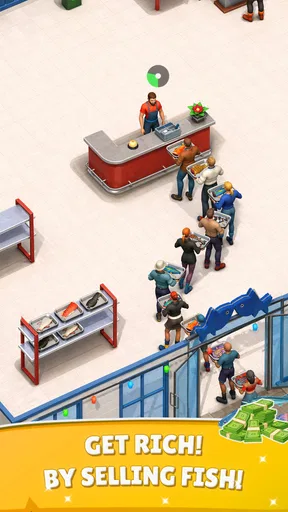
Our Review of My Fish Shop! - Seafood Tycoon
 Analysis by Appyee
My Fish Shop! is the kind of arcade game I open when I want a small, low-pressure task rather than a demanding challenge. I step into the role of a seafood shop owner, catch fish, keep the business moving, and gradually work toward a more successful operation. The idea is easy to understand, but the appeal comes from turning short sessions into visible progress.
Developed by Supercent, Inc., this free game sits between an idle simulator and a light management experience. It is aimed at Everyone, runs on Android 6.0 or later, and its current version is 5.2.0. The game has reached over 500 thousand installs and holds a 4.4 average from around 11 thousand ratings, which suggests that its simple loop has found a sizeable audience.
I would not approach it expecting a deep fishing simulation or a complex business strategy game. Its strengths are quick decisions, gradual improvement, and the satisfaction of making a modest shop feel busier over time. Its weaknesses appear when I want more control, more variety, or a clearly explained answer to every problem. That distinction matters before downloading it.
Getting started without unnecessary frustration
The first moments are deliberately straightforward. I can begin playing without learning a large rulebook, and the basic fantasy is immediately clear: fishing supplies the shop, while the shop gives the activity a sense of progress. This makes the game approachable for someone who normally avoids management games with dense menus.
Where players can get stuck is not usually the central idea, but the pace. Idle-style games often make progress feel slower after the first burst of activity. If I expect every action to produce a dramatic improvement, the experience can start to feel repetitive. The better mindset is to treat each visit as a short check-in: make the useful actions available, collect what is ready, and leave when the next improvement would require waiting.
That rhythm works particularly well on a busy day. If I have a few minutes before commuting or while waiting for an appointment, I can make progress without committing to a full gaming session. Someone looking for a game that rewards long, uninterrupted play may find the loop too light, while a casual player may appreciate precisely that lack of pressure.
One practical habit helps from the beginning: do not spend every available resource immediately simply because an upgrade button is visible. I prefer to look at what the next action is meant to improve. If it speeds up the part of the loop I use most often, it may be worthwhile. If it only makes a small visual or short-term difference, saving for a more meaningful improvement can make the next session smoother.
The game’s free entry is another reason it is easy to try. However, in-app purchases range from $0.99 to $49.99 per item, so I would set a personal spending limit before playing. The free version is the sensible starting point for most people. The presence of optional purchases does not automatically ruin the experience, but it does mean that players who dislike any temptation to accelerate progress should pay attention to the purchase flow.
Small setup checks that prevent avoidable problems
Before blaming the game for a stalled session, I would check the basics. The device needs Android 6.0 or later, and keeping the operating system reasonably current can remove compatibility problems that look like game errors. I would also close demanding apps in the background if the phone is older or already running hot.
A stable connection is useful when starting or resuming any game that needs to refresh its state, even though I would not assume that every part of play requires constant connectivity. If progress appears unchanged, I first give the screen a moment, revisit the relevant area, and restart the game normally before trying anything more drastic.
Storage is an overlooked source of trouble. A phone with almost no free space can behave unpredictably during updates or when saving new game data. I would keep some room available rather than repeatedly tapping an update button and assuming the installation itself is broken.
Notifications and battery-saving behavior can also affect the way an idle game feels. Aggressive background restrictions may delay reminders or make returning to the game less seamless. I would not disable every battery protection setting automatically; instead, I would check whether the phone is restricting this particular game before changing anything.
These checks are especially useful after an update. The title was released on July 25, 2025, and software changes can alter loading behavior or reset the way a screen appears without meaning that the account or progress is permanently lost. I would take a screenshot of important progress before troubleshooting, where possible, and avoid clearing data as a first response.
How I recover a workflow that seems stuck
When the shop appears to stop moving, I use a simple recovery sequence. First, I collect anything visibly ready and move through the main screens once. Sometimes the issue is not a broken system but an action waiting for attention. Next, I close and reopen the game. That is safer than immediately reinstalling it, because deleting the app can create a separate progress problem if the game does not restore everything automatically.
If a purchase or reward does not appear, I avoid tapping repeatedly. Repeated requests can make it harder to tell whether the original action is still processing. I wait, reopen the relevant screen, and check the device’s purchase history if money was involved. If the result still looks wrong, contacting the developer, Supercent, Inc., is more sensible than making another purchase to test the system.
For ordinary gameplay, I find it helpful to separate three questions: what can I do now, what is waiting to become available, and what should I save for later? That mental separation prevents a common mistake in idle games: spending resources on the first visible option and then wondering why the next useful step takes so long.
I also recommend changing only one thing at a time when testing a problem. If I clear the cache, alter battery settings, reinstall, and switch networks together, I lose the ability to identify the cause. A controlled approach is slower for a minute but much better if the issue returns.
Clearing temporary cache data can be a reasonable later step on Android when loading is unusually slow, but I would distinguish that from clearing storage or app data. The latter may remove local information. I would use it only after confirming that progress is safely recoverable and after trying a normal restart.
Making the shop loop work for your schedule
The most useful way to play is to match the game to your routine instead of forcing a long session. I might open it in the morning, complete the actions that are ready, and return later when another short break appears. This turns the idle structure into a convenience rather than a demand for constant attention.
For a realistic everyday example, imagine having ten minutes before dinner. I would open the game, check whether fishing or shop activity has produced something useful, apply one carefully chosen improvement, and stop once the next step is clearly a waiting task. There is no benefit in staring at a timer if nothing meaningful can be done yet.
A second useful approach is to reserve purchases for improvements that reduce repeated friction. If I am constantly waiting on the same part of the shop cycle, an upgrade affecting that bottleneck is more valuable to my play style than one that looks impressive but does not change my routine. This is a more reliable principle than simply buying the most expensive option.
I would also avoid treating every available reward as an instruction to continue playing. Idle games are designed around returning later. If the game has given me a useful result, closing it can be the correct decision. That keeps the experience relaxing and reduces the sense that I need to monitor the shop constantly.
Players who enjoy optimizing every minute may want to note which actions produce the clearest improvement and which ones merely keep the screen busy. The game is more satisfying when I focus on the former. This is one of the less obvious trade-offs: the title looks active because fishing and shop tasks are easy to understand, but the best strategy may involve doing less and waiting deliberately.
When the problem is probably outside the game
Not every crash, delay, or missing screen is caused by the title itself. A phone that is overheating, nearly full, or aggressively closing background apps can make many games behave poorly. Testing another recently used app can help reveal whether the trouble is broader than this one.
Network switching can create confusing results too. Moving from mobile data to Wi-Fi while a screen is loading may leave an action looking incomplete. I would finish the switch, reopen the game, and check the result before repeating anything. This is particularly important when an action involves a purchase or a reward.
Device time and date changes can also make waiting systems look unusual. I would keep automatic time enabled rather than manually advancing the clock to force progress. Apart from creating inconsistent behavior, that approach undermines the calm pacing that makes this type of game enjoyable.
Notifications may be delayed because of the phone’s settings, not because the shop has lost progress. I would check notification permissions and battery restrictions only if reminders are important to my routine. I would not grant broad access or change unrelated privacy settings just to solve a minor convenience issue.
If the game remains unusable after a restart, a system check, and a careful reinstall decision, the right next step is support rather than guesswork. I would describe the device, operating system, exact screen where the problem occurs, and whether it began after an update. Clear details give the developer a better chance of identifying a reproducible issue.
Who will enjoy this seafood tycoon?
I think the game suits players who like gentle progression, compact sessions, and familiar management goals without complicated spreadsheets. It can work for someone who wants an arcade game with a little more purpose than simply chasing a high score. The fishing theme gives the routine a pleasant identity, while the shop provides a reason to keep returning.
It is also a reasonable choice for families looking for an Everyone-rated game, provided adults handle purchase settings according to their household preferences. The simple premise is easier to explain than a strategy game with several interconnected systems. Still, “easy to understand” should not be confused with “equally enjoyable for everyone.” Younger players may need guidance around optional purchases, and patient players will get more from the idle pacing than those seeking instant rewards.
I would skip it if I want realistic fishing, competitive multiplayer, a story campaign, or deep economic simulation. A traditional fishing game is better for casting, timing, and exploration. A more advanced tycoon game is better for detailed staffing, pricing, supply chains, and long-term planning. This title sits in the middle, offering the theme of a seafood business without requiring the player to manage every business variable.
I would also think twice if repetitive loops quickly lose their charm. The game’s central pleasure comes from repeating a small set of actions and seeing gradual progress. That is satisfying when I enjoy incremental goals, but it can feel thin if I need constant novelty or a strong narrative reason to continue.
How it compares with familiar arcade alternatives
Compared with a conventional arcade game, this one is less about reflexes and more about timing visits around progress. I do not open it expecting a high-score rush. Instead, I look for a small improvement to the fishing-and-shop routine. That makes it easier to play casually, but less exciting when I want immediate action.
Compared with a full tycoon simulator, the advantage is accessibility. I can understand the purpose of the shop quickly and make progress without studying a complicated economy. The trade-off is depth: players who enjoy analyzing several systems at once may outgrow the experience sooner than they would a larger management game.
Compared with other idle games, the seafood shop theme gives the loop a more concrete setting. I am not simply watching abstract numbers rise; I have a recognizable business fantasy to return to. The downside is that the theme cannot completely hide repetition. If the underlying cycle does not appeal to me, attractive presentation alone will not fix that.
For me, the best alternative depends on the mood. I choose this game when I want a relaxed check-in with a clear goal. I choose a reflex-based arcade title when I want active concentration, and a deeper simulator when I want decisions to have more complicated consequences. Knowing that difference prevents disappointment.
My practical verdict
After spending time with the game, I see My Fish Shop! - Seafood Tycoon as a friendly, low-commitment arcade experience rather than a serious business simulator. Its free starting point, approachable theme, and short-session structure make it easy to recommend to casual players who enjoy watching a small operation grow.
The strongest advice I can give is to play patiently. Check the shop on your own schedule, save resources for improvements that affect your personal bottleneck, and do not turn every waiting period into a reason to spend. If progress seems stuck, restart carefully, check the device and network basics, and avoid clearing app data before confirming that your progress can be recovered.
The game is not the right choice for everyone. It will disappoint players who need deep strategy, constant action, or realistic fishing mechanics. For everyone else, especially someone wanting a calm game to fill a few spare minutes, it offers a pleasant routine with enough business flavor to make the waiting worthwhile. My recommendation is to try the free version first and judge whether the repeated fishing-and-shop cycle fits your habits before considering any optional purchase.
Privacy and Permissions
See what permissions an app requests and how it handles your data.
- Wi-Fi connection information
- view Wi-Fi connections
- Other
- view network connections, full network access, control vibration, prevent device from sleeping, Google Play license check
Verdict
Strengths of My Fish Shop! - Seafood Tycoon
- Simple idle mechanics make it easy to play in short sessions.
- Seafood shop upgrades provide a clear sense of progression.
- Bright, colorful visuals suit casual players and younger audiences.
- Offline earnings help your business grow while you are away.
- Multiple products and stations add variety to the shop management.
Limitations of My Fish Shop! - Seafood Tycoon
- Progress can slow noticeably without frequent upgrades or boosts.
- Some upgrades may require substantial in-game currency grinding.
- The gameplay loop can feel repetitive after extended sessions.
- Ads or optional purchases may be needed to speed up development.
- Limited strategic depth may disappoint experienced tycoon players.
Other Releases by Supercent, Inc.
View All
Snake Clash!
Arcade4.5

Pizza Ready!
Simulation4.4

Prison Life: Idle Game
Role Playing4.0

Dessert Factory Idle
Arcade4.7
Similar Picks in This Category
View All
Subway Surfers
SYBO Games4.6

Stickman Party 234 MiniGames
PlayMax Game Studio4.6

Subway Princess Runner
Ivy4.4

Temple Run
Imangi Studios4.2

Zombie Tsunami
Mobigame SAS4.6

Stack Ball - Crash Platforms
CASUAL AZUR GAMES4.5
Frequently Asked Questions
What is My Fish Shop! - Seafood Tycoon about?
My Fish Shop! - Seafood Tycoon is a casual management game centered on running and expanding a seafood business. You typically serve customers, manage fish and seafood stock, improve your shop, and earn money to unlock new features. Its simple controls and short gameplay sessions make it suitable for players who enjoy idle, simulation, and time-management games without complicated mechanics.
Is My Fish Shop! - Seafood Tycoon free to download and play?
The game is generally available as a free download, allowing you to begin playing without paying upfront. However, free-to-play games commonly include optional in-app purchases, such as currency, boosters, upgrades, or bundles that can speed up progress. Before downloading, check the store listing for the current pricing details and review your device’s purchase settings if children may access the game.
Does My Fish Shop! - Seafood Tycoon require an internet connection?
Some parts of the game may work without a constant connection, especially basic shop management and offline progress. Nevertheless, an internet connection may be needed for advertisements, cloud features, updates, special events, or in-app purchases. Because requirements can change between versions, it is best to test the game after installation and avoid assuming that every feature will remain available offline.
Are there advertisements or in-app purchases in the game?
Players should expect the possibility of advertisements and optional in-app purchases. Ads may appear between activities or be offered as a way to receive extra rewards, while purchases can provide additional currency, boosts, or faster upgrades. The game can usually be played without spending money, but progress may feel slower if you choose not to watch ads or buy optional items.
Is My Fish Shop! - Seafood Tycoon suitable for children?
The game’s colorful presentation and straightforward business mechanics may appeal to younger players, and it does not focus on complex combat or mature themes. However, parents should still review the store’s age rating, privacy information, advertising practices, and purchase options. If children use the app, parental controls are recommended to prevent accidental purchases and limit exposure to advertisements or external links.
Play our best games!


